
There are so many cool tricks in photography.
We thought we'd share some with you.
Hope you enjoy!
SOFT GLOW EFFECT
We thought we'd share some with you.
Hope you enjoy!
SOFT GLOW EFFECT
Written By Steve Patterson
In this Adobe Photoshop tutorial, we're going to look at how Steve quickly and easily adds a soft focus and glow effect to a photo, which also happens to do a nice job of boosting the image's contrast and color saturation. He's been using this technique with his photos for years and it's still just as popular today. Whether you're a wedding photographer, nature photographer or you simply enjoy taking photos of family and friends, give this effect a try and see if it doesn't make your images look a bit more magical.
Here's the photo he'll be working with in this tutorial:

And here's how it will look after adding the soft glow:

7 Tips for Great Photos in the Dark
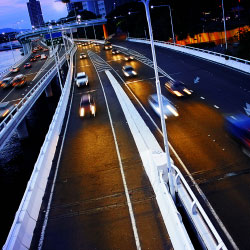
Follow these seven helpful tips to improve your night photographs.

White balance (WB) is the process of removing unrealistic color casts, so that objects which appear white in person are rendered white in your photo. Proper camera white balance has to take into account the "color temperature" of a light source, which refers to the relative warmth or coolness of white light. Our eyes are very good at judging what is white under different light sources, but digital cameras often have great difficulty with auto white balance (AWB) -- and can create unsightly blue, orange, or even green color casts. Understanding digital white balance can help you avoid these color casts, thereby improving your photos under a wider range of lighting conditions.
 |  |
| Incorrect White Balance | Correct White Balance |


No comments:
Post a Comment